

Image editing tools are becoming easier to use, even for people who have no graphic design experience. One of the most interesting features available today is color inversion, a simple technique that flips the colors of an image to their opposite values. This can create unique visual effects, help designers analyze image contrast, or simply make photos look creative.
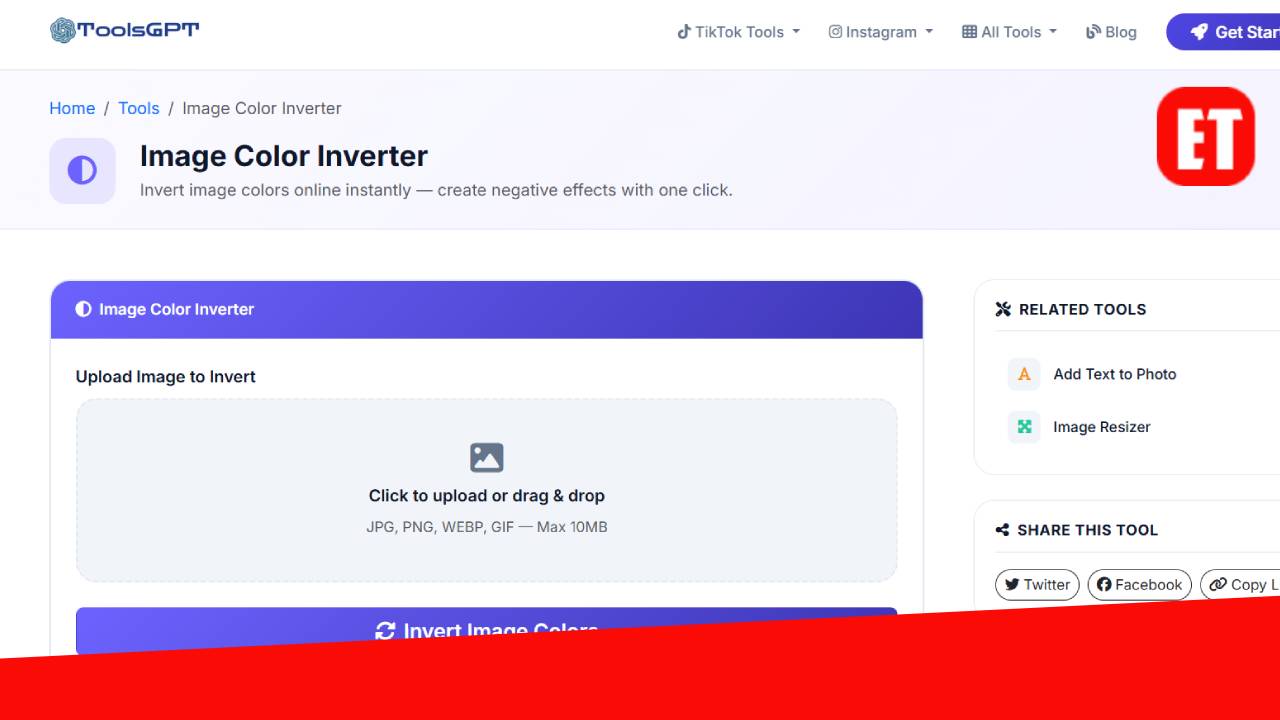
During our recent research at ErimeToday, we discovered a simple way to invert image colors using an online all-in-one tool platform called ToolsGPT. The platform offers multiple utilities, but in this guide we will focus specifically on the Image Color Inverter tool and how you can use it quickly without installing any software.
If you have ever wanted to turn a bright image into a dark negative-style photo or experiment with creative effects, this guide will show you the easiest way to do it online.
What Does It Mean to Invert Image Colors?
Color inversion is a digital image effect where every color in an image is replaced with its opposite color on the color spectrum.
For example:
- Black becomes white
- Blue may turn into orange
- Red may turn into cyan
- Light areas become dark
This technique is often used by:
- Graphic designers testing visual contrast
- Digital artists creating creative effects
- Web designers experimenting with themes
- Photographers analyzing lighting balance
Inverted images sometimes look similar to photo negatives, giving them a dramatic and futuristic appearance.
The good news is that you no longer need complex software like professional photo editors to do this. With modern web tools, the process can take just a few seconds.
How to Invert Colors of an Image Using ToolsGPT
During our test at ErimeToday, we found that the easiest method is using the online Image Invert Tool available on ToolsGPT. The tool works directly in your browser and does not require downloading any software.
Follow these simple steps:
Step 1 – Visit the ToolsGPT Website
Open your browser and visit ToolsGPT.
Once you are on the website:
- Navigate to the Tools section
- Locate the Image Invert Tool
- Click on the tool to open the image inverter page
This tool is designed to work quickly and is accessible on both desktop and mobile devices.
Step 2 – Upload Your Image
After opening the image invert tool:
- Click the Upload Image button
- Select the image you want to edit from your device
- The system will automatically process the image
Within seconds, the tool will invert all colors in your image automatically.
Step 3 – Download the Inverted Image
Once the tool finishes processing:
- Preview the inverted image
- Click the Download button
- Save the edited image to your device
You can now use the inverted version for design projects, social media graphics, presentations, or creative artwork.
Why Use an Online Image Inverter?
Online tools like the one we tested offer several advantages compared to traditional editing software.
Some benefits include:
- No installation required
- Works on any device
- Fast processing
- Beginner-friendly interface
- Free access to multiple tools
Since the process happens directly in your browser, you can invert colors instantly without learning complicated editing techniques.
Recap
Color inversion is one of the simplest yet most powerful image editing tricks available online today. Whether you want to experiment with creative visuals or simply transform an image into a negative-style version, the process can be completed in just a few clicks.
As discovered during our research at ErimeToday, the ToolsGPT Image Invert Tool provides a quick and convenient solution for anyone looking to invert colors online.

Erime Editor is the official editorial account of ErimeToday. Articles published under this name are created, reviewed, and managed by the ErimeToday editorial team to deliver helpful guides, technology tips, relationship advice, daily accurate word game answers, anime updates, gaming content, manga insights, news, and useful resources for readers around the world.